Approving Project Access
Last updated: October 22, 2026
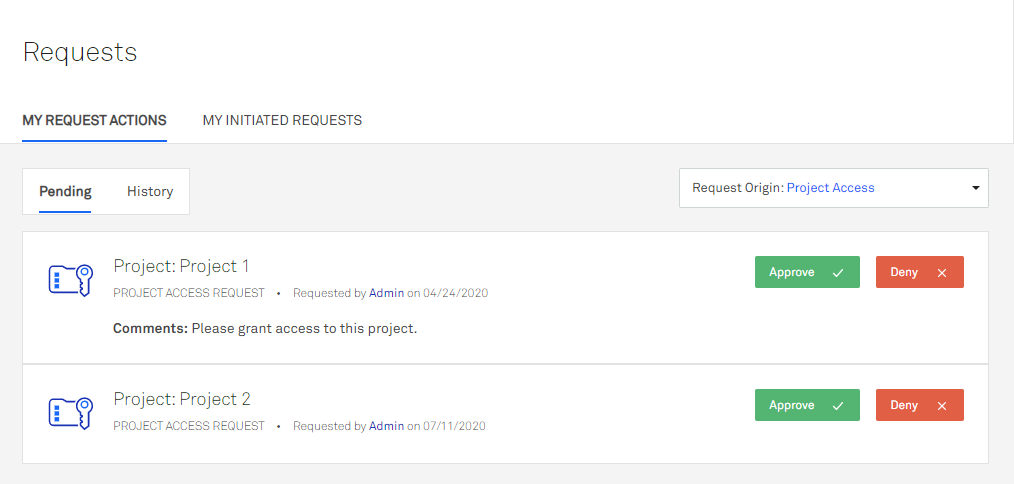
As the owner of a project, you receive a notification when a project access request is submitted. You can click Manage on the notification to be taken to the requests page where you can approve or deny the request, or follow the steps below to navigate to the request page and approve or deny your requests.
To approve or deny an access request:
From the left navigation menu, click Requests > My Request Actions.
In the Request Type dropdown menu, select Project Access.
Click Approve or Deny on the pending request.
If you approved the request, select a Project Access Level (permission scheme role) and, optionally, a Console Access Level (cloud access role) to map to the user.
(Optional) If you denied the request, enter a comment.
Click OK.
The user who made the request receives a notification stating whether the request was approved or denied, along with any comment you entered when denying it.