Support URL
Last updated: October 22, 2026
Settings > System Settings > User Interface Settings > Support URL
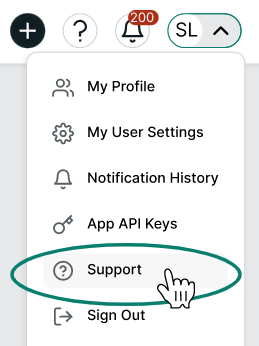
You can choose to direct users to your own IT/support teams from the application. You can use these settings to configure the URLs for the Help icon and the Support link in the user menu.
By default, the Help icon opens help documentation for the page the user is currently viewing, and the Support link goes to the Kion Success Center. Each can easily be reset to the default from this same page.
Help Icon

User Menu