Requesting Project Creation
Last updated: October 22, 2026
You can request that a new project be created under a specific OU. The request will be sent to the owners of the OU you specify.
Requesting a New Project
In the left navigation menu, click Projects > Request New Project.
Enter a name for the project.
Select the OU where you would like the project to be attached.
Select an end date for the project.
(Optional) Enter a project description.
(Optional) Enter an Estimated Lifetime Spend for the project.
(Optional) Enter any additional comments for the OU owners.
Click Request Project.
Checking a Project Creation Request
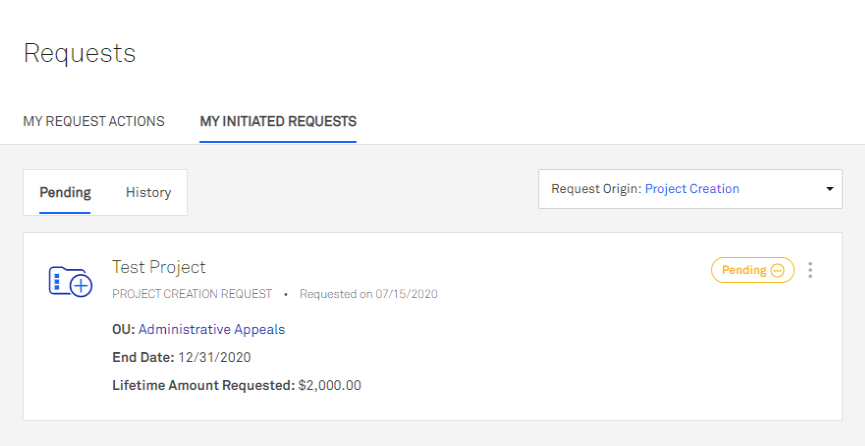
In the left navigation menu, click Requests > My Initiated Requests.
In the Request Type dropdown menu, select Project Creation.
Pending requests appear on the Pending tab. Approved and denied requests appear on the History tab.
Canceling a Project Creation Request
In the left navigation menu, click Requests > My Initiated Requests.
In the Request Type dropdown menu, select Project Creation.
On the Pending tab, click Cancel Request next to the request.
Enter a reason for the cancellation.
Click Cancel Request to confirm.