AWS Regions
Last updated: October 22, 2026
Settings > System Settings > AWS Settings > AWS Regions
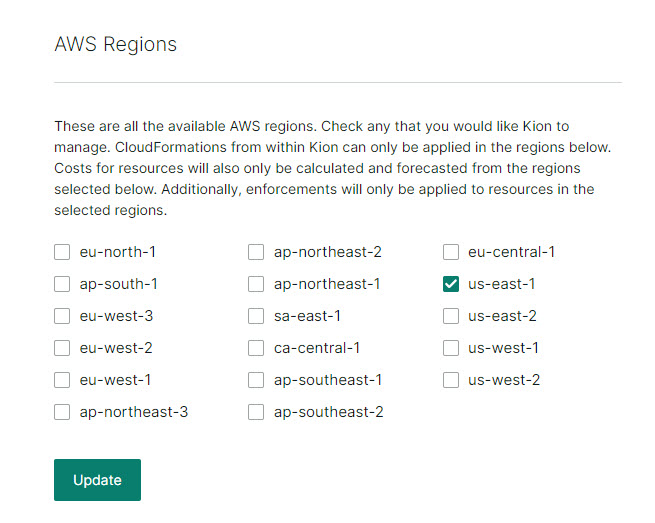
Check any regions that you would like Kion to manage.
If a region is checked:
Users can apply AWS CloudFormation templates in that region.
Users can apply AWS AMIs in that region.
Users can apply AWS service catalog portfolios in that region.
Kion can apply enforcements in that region.
User Default Region Selection
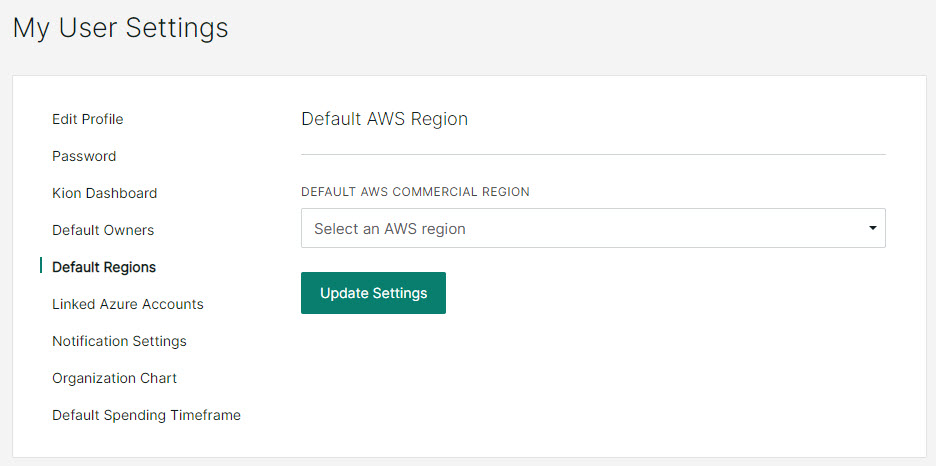
You can specify a default AWS region in your User Settings.
In the left navigation menu, click Settings > My User Settings.
Click the Default Regions tab.
Select a Default AWS Commercial Region. If you manage AWS GovCloud, you can also select a Default AWS GovCloud Region.
Click Update Settings.
Project Default Region Selection
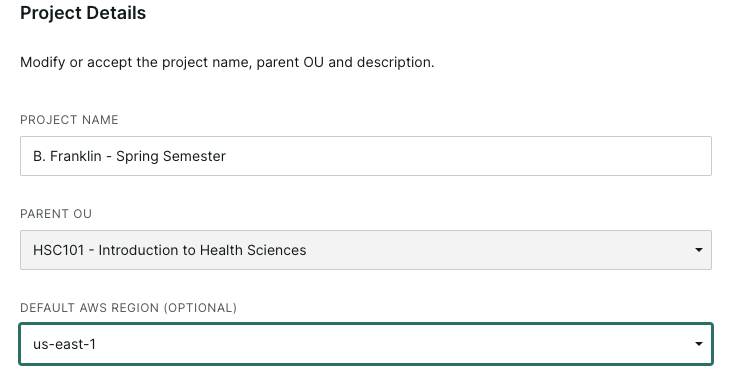
You can specify a default AWS region for your project to use, which will take priority over any user settings.
When viewing a project, click the ellipsis menu and select Edit Project.
Use the Default AWS Region (Optional) drop-down to select a default region.
Save your changes.