Approving Cloud Rule Exemption
Last updated: October 22, 2026
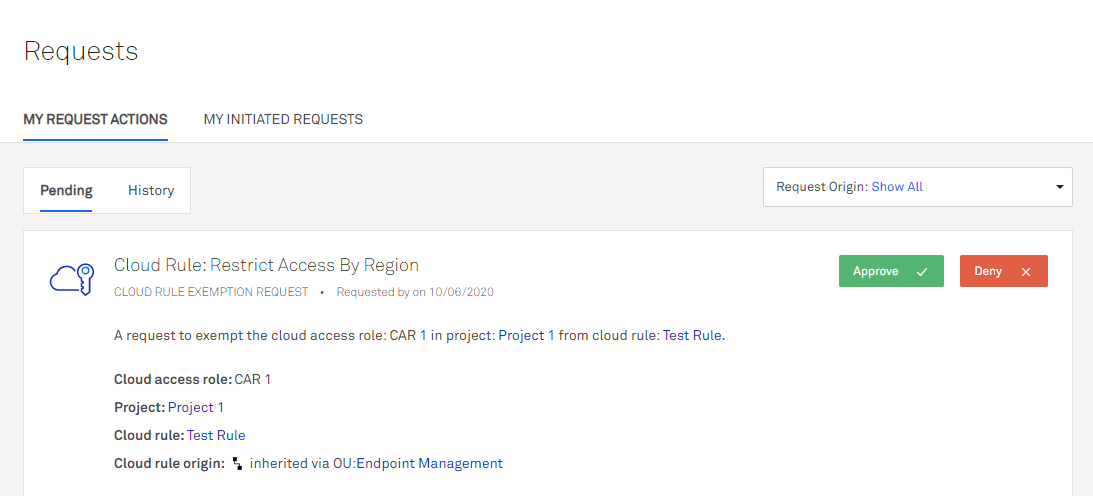
If someone requests a cloud rule exemption and you have the manage permission on the OU or project where the cloud rule is applied, you will receive a notification with the request details.
To approve or deny a cloud rule exemption:
From the left navigation menu, click Requests > My Request Actions.
In the Request Type dropdown, select Cloud Rule Exemption.
Click Approve or Deny on the pending request.
(Optional) Enter a comment.
Click OK.
The user who requested the exemption receives a notification stating whether the request was approved or denied, along with any comments you enter.