Applying a Google Cloud IAM Role to a Cloud Access Role at the OU Level
Last updated: October 22, 2026
To apply a Google Cloud IAM role to a cloud access role at the OU level:
In the left navigation menu, click OUs > All OUs.
Click the name of the OU where you will apply the role definition.
Click the Identity tab.
Click the Cloud Access Roles subtab.
Click the Add button on the right side of the interface if you are creating a new cloud access role, or click the ellipsis menu on an existing cloud access role and select Edit to add it there.
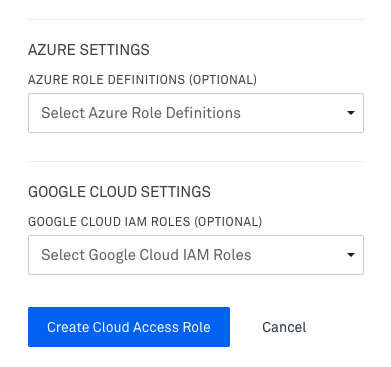
Select the User Cloud Access Role type if prompted, fill out any other necessary fields, and click Continue. Then select Google Cloud IAM Roles from the dropdown in the Google Cloud Accounts and Settings section.
Click Update if you are editing a cloud access role, or Create Cloud Access Role if you are creating one.
Your Google Cloud IAM roles will apply to any Google Cloud project on child Kion projects when they are accessed via those roles.